Setup Environment like server-side and Prepare ZFS Pool for Prefill
Setup Proxmox
Proxmox Documentation
https://www.proxmox.com/en/proxmox-virtual-environment/get-started
https://pve.proxmox.com/pve-docs/chapter-pve-installation.html
Enable No-Subscription Repository in web-GUI
node on the left -> Updates -> Repositories.
Disable the enterprise repository and add the No-Subscription repository
Go to the upper menu Update, press Refresh, then Upgrade
Create ZFS Pool
See page Create ZFS Pool, then continue here.
Permissions
chown - R 101100:101100 /pool/dataset-versitygw
chown - R 101110:101110 /pool/dataset-syncthing
ID 1100 is used for versitygw inside LXC
ID 1110 is used for syncthing inside LXC
Setup LXC
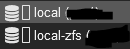
- Go to "local" in webgui

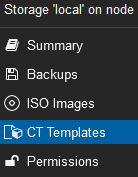
- Click on "CT Templates"

- Then click button "Templates"
- Download Debian 13
- Click "Create CT" on top richt

- Give it Hostname and Password, Make sure Unpriviledged and Nesting is checked
- Click next, choose the previous downloaded Template
- Click next, default size 8GB is sufficient
- Click next, assign 2 Cores
- Click next, type 2048MiB Memory
- Click next, choose IP according your network (or DHCP)
- Click through finish

Finishing Steps in LXC when using Proxmox
Only applies when using LXC on Proxmox.
Make ZFS Pool available in LXC
On Host, LXC must be shutdown
nano /etc/pve/lxc/100.conf
# add this line, edit poolname if necessary:
mp0: mp=/poolname,/poolname
# mp=/poolname is the mountpoint in LXC
# ,/poolname is from host