# Proxmox Backup Server 4
The use of a separate Proxmox Backup Server for uploading backups from another Proxmox Backup Server on HDD-Housing may offer greater security against ransomware and attackers. The Proxmox Backup Server connected to HDD-Housing should be operated in pull mode. If operating in push mode is necessary, you can find the necessary permissions here: [https://pbs.proxmox.com/docs/managing-remotes.html#sync-direction-push](https://pbs.proxmox.com/docs/managing-remotes.html#sync-direction-push)
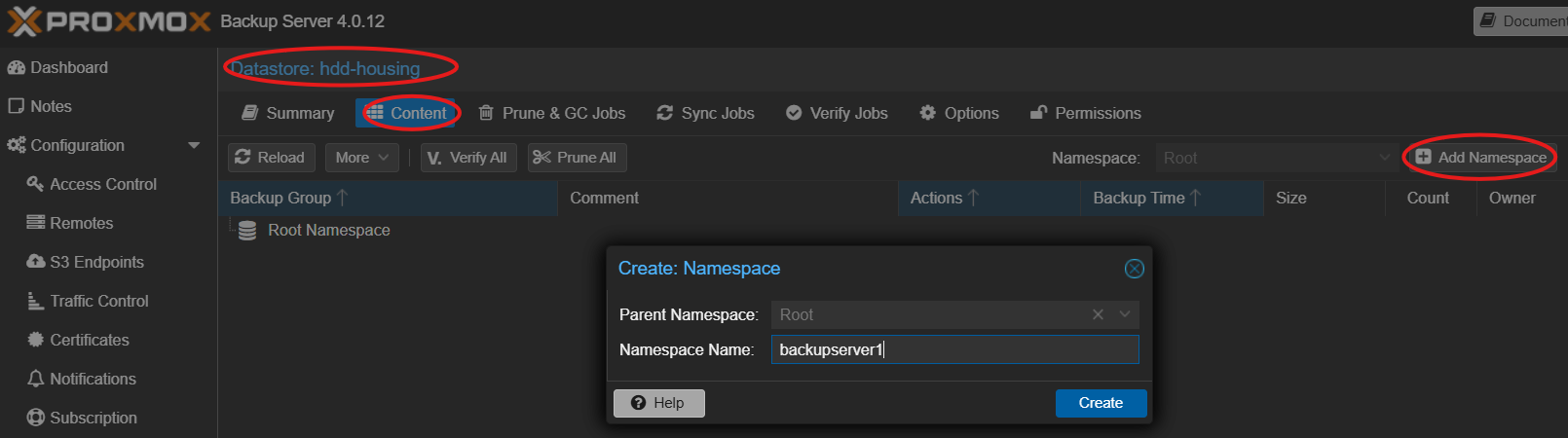
If you want to backup multiple Proxmox Backup Server, use namespaces or create seperate buckets and a Datastore for each bucket.
Documentation Proxmox Backup Server: [https://pbs.proxmox.com/docs/index.html](https://pbs.proxmox.com/docs/index.html)
## Create a bucket in Minio
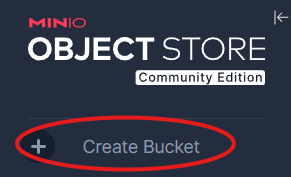
By clicking `Create Bucket` in Webgui on the top left and name it `pbs`:
[](https://wiki.hdd-housing.eu/uploads/images/gallery/2025-08/1MAimage.png)
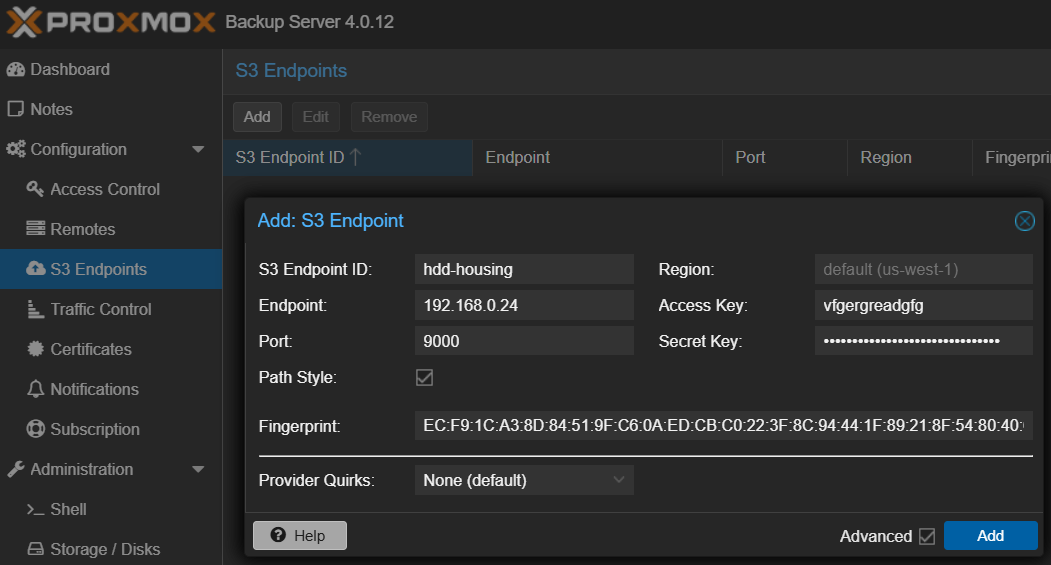
## Configure HDD-Housing S3 Storage in Proxmox Backup Server 4
[](https://wiki.hdd-housing.eu/uploads/images/gallery/2025-08/zXNimage.png)
Note: How to get the fingerprint from self signed certificate is shown in [Install Minio S3 Storage Server on Debian/Ubuntu](https://wiki.hdd-housing.eu/books/setup/page/install-minio-s3-storage-server-on-debianubuntu "Install Minio S3 Storage Server on Debian/Ubuntu")
## Create Datastore
```
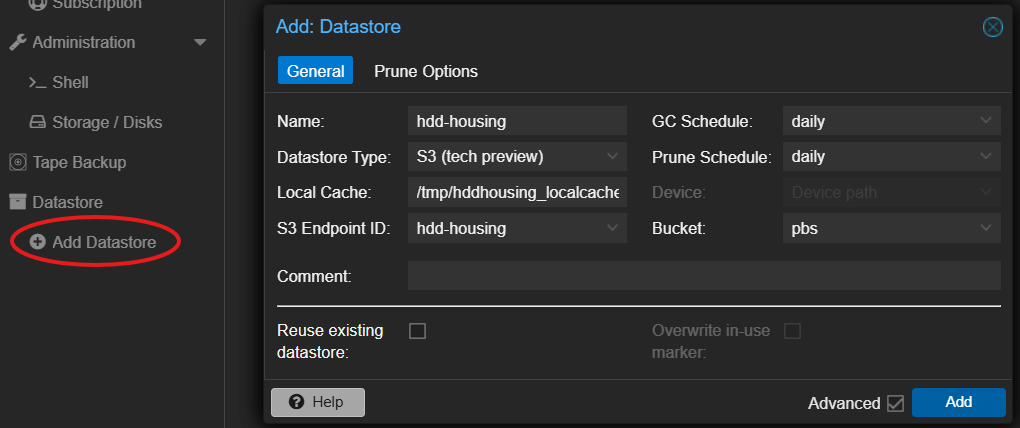
mkdir /tmp/hddhousing_localcache
```
Click `Add Datastore` and configure to your needs, example:
[](https://wiki.hdd-housing.eu/uploads/images/gallery/2025-08/DhZimage.png)
## Create namespaces
[](https://wiki.hdd-housing.eu/uploads/images/gallery/2025-08/UUUimage.png)
## Use namespaces for Pull Sync Jobs
[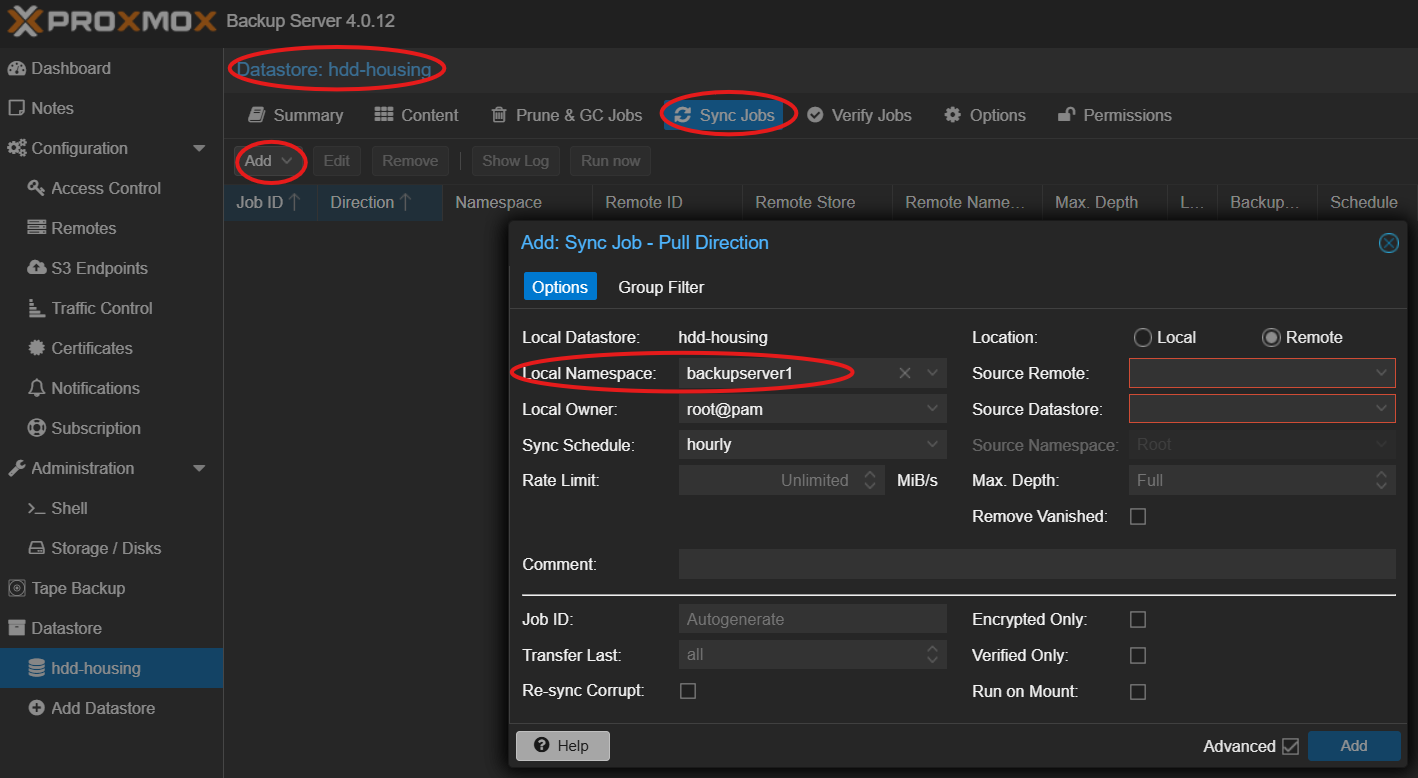](https://wiki.hdd-housing.eu/uploads/images/gallery/2025-08/YQQimage.png)
Remotes must be configured first, see screenshot below. Click the Help button for further assistance.
[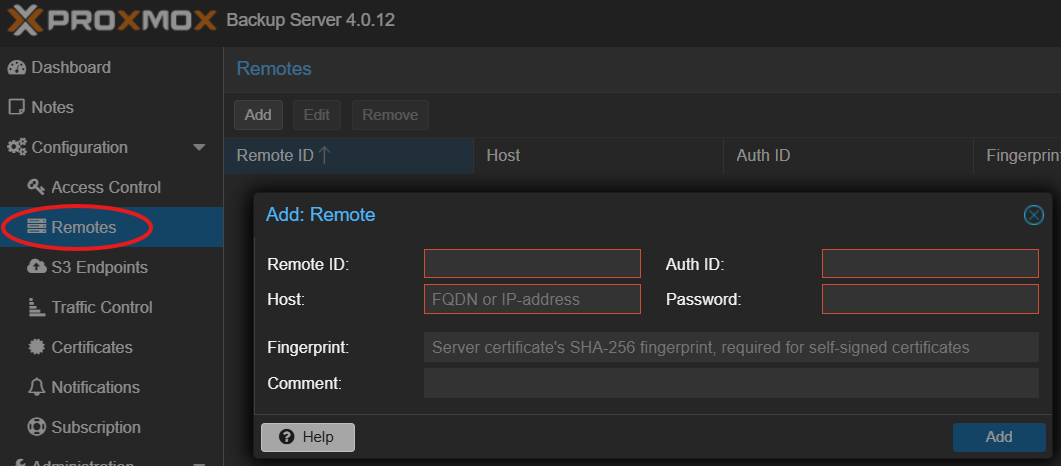](https://wiki.hdd-housing.eu/uploads/images/gallery/2025-08/wqTimage.png)